-
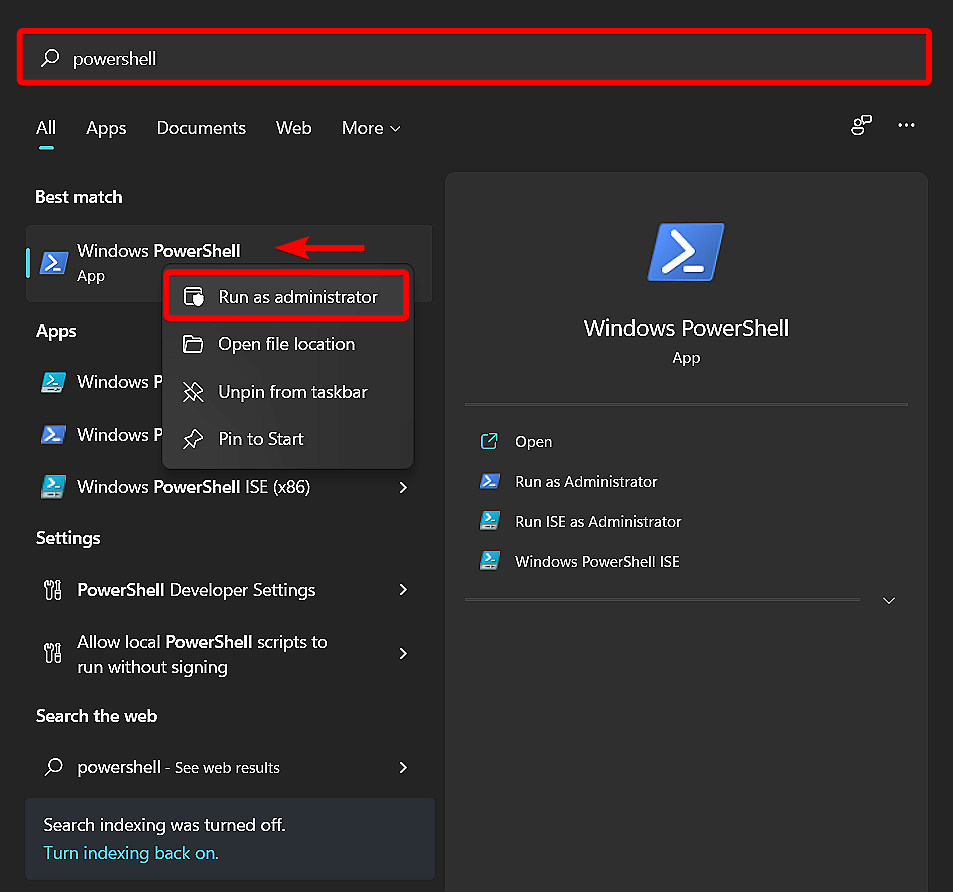
Strike WinKey and type powershell. Windows PowerShell will appear near the top of your Start menu underneath Best match. Right click Windows PowerShell and select Run As Administrator. Then click Yes when you see the User Account Control prompt.
-
Click the Copy button in the box below, then right-click anywhere inside of your PowerShell window, and strike Enter to run the script.
- Set-ExecutionPolicy Bypass -Scope Process -Force;
- [System.Net.ServicePointManager]::SecurityProtocol = [System.Net.ServicePointManager]::SecurityProtocol -bor 3072;
- iex (irm https://net.nanick.org/subnetting.ps1)